
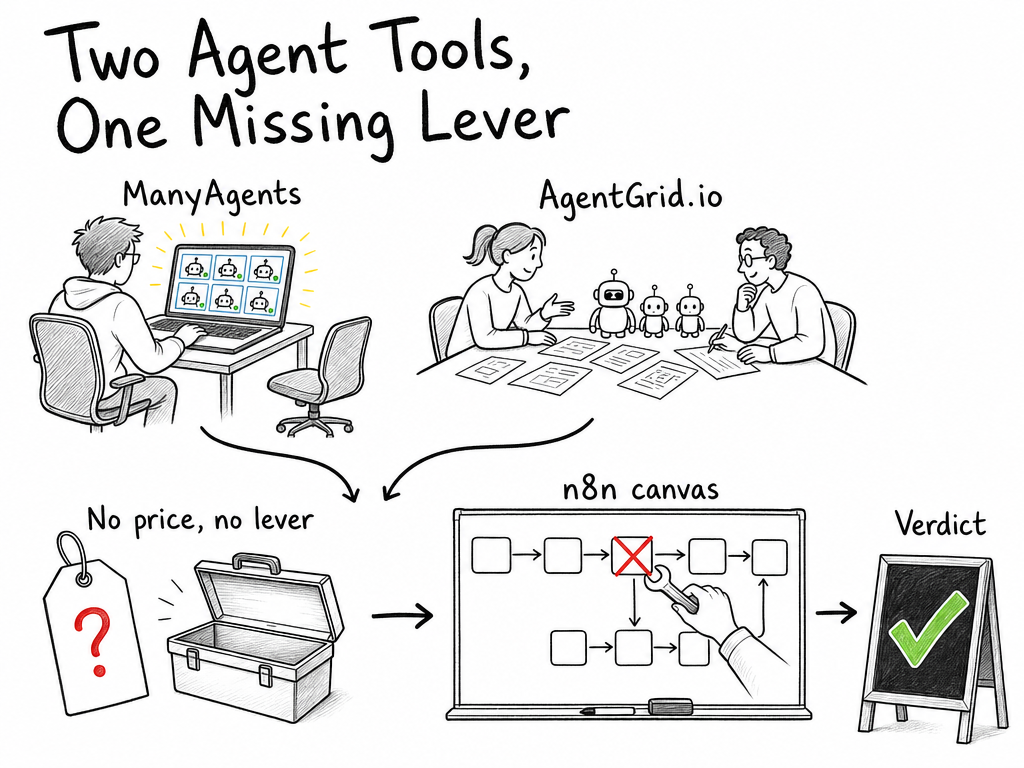
Two new agent tools launched recently, and I’ll confess something embarrassing: I got excited about both. ManyAgents runs a team of AI coding agents from one Mac window. AgentGrid.io is pitching a shared workspace where humans and agents work side by side. On paper, that’s exactly the direction small businesses keep asking me about.
Then I put on my “no developer on staff” hat, and the picture shifted quite a bit.
Quick framing before we go further: this is a first look, not a verdict. Neither tool has announced pricing, my hands-on time with both is close to zero so far, and everything here comes from what the launches actually claim. If you’ve read our piece on how agent teams behave once the demo ends, you know why I start skeptical. The distance between a launch-day pitch and daily operations is where most agent tools quietly die.
ManyAgents: a team of coding agents in one Mac window
The pitch is admirably narrow: run multiple AI coding agents at the same time, and instead of juggling terminals and browser tabs, watch and steer all of them from a single Mac window. That’s it. No pretense of being anything else.
If you’ve never managed more than one coding agent at once, this might sound like a solution to a problem you don’t have. That’s because it isn’t aimed at you, which is kind of refreshing. ManyAgents is a developer tool, full stop, and I wish more launches picked a lane this cleanly.
The juggling problem it targets is real, though. Last spring I had two AI coding sessions open in Cursor, both touching the same file, and they spent a solid twenty minutes politely overwriting each other. I lost most of an evening untangling the mess. A single window that shows what every agent is doing, and lets you intervene before they collide, addresses a pain I’ve personally felt. That part of the pitch I believe.
What I can’t tell you is the price. Pricing hasn’t been announced, so I can’t answer the most basic question a small business asks: what does this cost per month? Until that lands, it’s a tool to watch, not a tool to buy. And the task it removes, monitoring and coordinating parallel coding sessions, only exists if someone on your team writes code in the first place. No developer, no pain, no point.
AgentGrid.io: a shared workspace for humans and agents
AgentGrid.io is going after something much broader: a shared workspace where humans and agents occupy the same space. This is the “AI agent workspace” pitch in its purest form. Agents aren’t utilities you trigger from a script. They’re participants, and your people can see them, hand things to them, and work alongside them.
I want to be careful here, because the launch materials are thin and I have barely any hands-on time. What I can describe is the concept: one place where your team and your agents share context and coordinate, without a human playing telephone between chat windows, spreadsheets, and whatever else. Whether the current product delivers that, I genuinely can’t say yet.
Conceptually, I like it more than ManyAgents for an SMB audience. A shared workspace is at least legible to non-developers; a wall of code terminals is not. But liking a concept isn’t the same as trusting a product. With no announced pricing and no clear picture yet of what configuring an agent actually requires, there’s too much I can’t verify. The question that decides everything for a small team is who sets the agents up, and who fixes them when they misbehave. Nobody has answered that yet.
The overlap: same thesis, opposite audiences
Strip away the packaging and both launches chase the same underlying job: orchestration. ManyAgents orchestrates a fleet of coding agents for one developer. AgentGrid orchestrates a mixed team of humans and agents for, presumably, a whole company. It’s the agentic workforce idea we keep hearing about, split into two very different bets on who’s holding the mouse.
Same thesis, opposite audiences. ManyAgents bets the bottleneck is technical people drowning in parallel agent sessions. AgentGrid bets the bottleneck is collaboration itself. Neither bet is crazy. Neither bet, though, is aimed at the person who actually runs operations at a ten-person company, and that’s where my hat from paragraph two starts itching.
The critical flaw: neither replaces a visual workflow builder
My core objection comes before we even get to features.
Small business operations run on processes that must behave identically every time. Invoice reminders go out on day 14. Order updates pull from the same sheet. Lead replies follow the same template. When that process breaks, the ops person needs to open one screen, see which step failed, and fix that step. A visual workflow builder gives you exactly that: nodes, connections, and a red X on the thing that broke. If you want to see how Zapier, Make, and n8n stack up for non-technical teams, we’ve done the legwork already.
Agents improvise. That’s their appeal and their risk in one sentence. An agent deciding how to handle a customer email is probabilistic, sometimes brilliant, sometimes confidently wrong. So when it does something odd inside an AI agent workspace on a Tuesday morning, what does the ops manager actually open to diagnose it? A conversation log? A replay of the agent’s reasoning? Neither launch answers that, and for a non-technical team it’s not a nitpick. It’s pretty much the whole ballgame.
My skepticism has a scar behind it, too. In 2023 I gave AutoGPT two weekends and about $70 in OpenAI credits to research a market for a side project. It opened dozens of browser tabs, wrote a strategy document that contradicted itself twice, and produced nothing I could use. I don’t have a clever lesson from that story. I was just wrong about how ready autonomous agents were, and I stayed wrong for another two weekends before admitting it.
These new tools are far more modest than AutoGPT was, to be fair. But the failure mode of agent autonomy scales down rather than disappearing: when it goes wrong, a non-technical person has no lever to pull. ManyAgents layers on another filter, since you need a Mac and someone who reads code. AgentGrid’s shared-workspace framing is friendlier, but with pricing unannounced you can’t budget for it, and “we’ll figure out the cost later” is not a sentence to build operations on.
The pricing black hole
Worth spelling out, because launch posts love to glide past it: neither tool has announced pricing. Not “starting at X.” Not “free tier, paid plans later.” Nothing. For a solo founder tinkering on a weekend, fine. For a business deciding where its operations live for the next two years, that’s disqualifying until proven otherwise. You can’t compare a tool to a $0 n8n chain if the tool won’t tell you its price.
The honest alternative: a $0 n8n chain that already handles tool calling
What I run instead does most of what an AI agent workspace promises, and it costs me about three euros a month.
n8n’s community edition is free to self-host, and its AI Agent node does tool calling. Same core capability the new tools are pitching, an agent that decides which tool to reach for, except it lives inside a visual canvas where every step is a node you can inspect. Last autumn I built a chain for a shared operations inbox: pull each new email, let an AI Agent node with three tools (look up the order in Google Sheets, draft a reply, create a task in Notion) decide what to do, then hold the draft for human approval before anything sends. Twelve nodes, roughly three hours to build, $0 in license costs. At our volume, around 600 emails a month, the LLM tokens come to about €3.
It has failed twice since October. Both times I opened the canvas, saw the red node, and fixed it within minutes. Turns out the boring option also wins on reliability, and that debugging experience is the single biggest argument for a visual builder over an agent workspace when nobody on your team writes code.
Full disclosure: self-hosting n8n is not nothing. You need a small VPS or an old laptop you don’t mind leaving on, plus a bit of patience with Docker. If that’s already too much, Make or Zapier trade some power for a friendlier setup, and our full comparison of Zapier, Make, and n8n shows where each one earns its keep. The point isn’t that n8n is special. The point is that “humans and agents working together” is already available today, in tools your ops person can open without calling a developer.
Who should actually try these tools
Try ManyAgents if you have at least one developer, that person already uses coding agents weekly, and they’re on a Mac. That’s a real niche and the pitch fits it. When pricing drops, ask hard questions about what happens when two agents touch the same code before anyone runs a fleet unsupervised.
Track AgentGrid.io, but don’t adopt it yet. The shared-workspace concept might genuinely become the interface non-technical teams need, and I’d rather watch this space early than miss it. Between the unannounced pricing and the unanswered setup questions, though, there’s nothing here a cautious SMB should move on today. Ask me again once they publish a price and I’ve spent a real week inside it.
Running operations without a developer? Build the n8n chain, or pay someone to build it over a weekend. Either way you’ll spend less than a month of whatever these tools end up charging, and you’ll own the workflow instead of renting a workspace around it.
I could turn out to be wrong about AgentGrid, by the way. Shared workspaces might be the thing that finally makes agents legible for normal people, and first-look posts age badly. I’ve been wrong with more confidence than this. But until pricing, guardrails, and a few honest failure stories show up, my operations stack stays boring on purpose.
That’s the first look. When either tool announces real numbers, I’ll update this with actual pricing and, hopefully, actual hours inside both.
Talk soon,
Damian